Creating a Powerful Business

Resources

On this page you can find all of the diagrams and resources referenced in my book ‘Creating a Powerful Business’.

Book cover titled 'Creating a Powerful Business' by Andrew Ford, featuring a smiling man in a dark shirt with a red and blue gradient background.
Diagram of the e-traction method outlining vision, mission, target market, and competitive strategies with sections on understanding values and lifestyle, building LinkedIn and social media presence, and leveraging content and pitch.

Figure 1. The e-ttraction Method

A colorful diagram with a star shape in the center divided into four quadrants labeled innovation, timing, sensory, and magnetism. Surrounding the star are various icons and words representing different traits and seasons, such as mechanic, creator, star, supporter, deal maker, trader, accumulator, and lord.

Figure 6. The Wealth Dynamics Model

Line graph titled 'Lifestage' showing work time percentage versus age. Work time increases in early years, peaks around age 40-60, then declines with age.

Figure 8. Graph to assist planning the balance of preferred time at work against age

Two men smiling and standing close together at a social event, one holding a glass of wine, in a modern indoor setting with other people in the background.

Figure 13. A photo of Sevan and I at his new office opening.

A graphic with red, blue, and beige colors displaying the text "Helping businesses build their brand & tell their story" and the Social Star logo.

Figure 16. An example of a banner image.

A screenshot of a contact information profile for Andrew Ford, showing LinkedIn profile link, three websites, mailing address at The Glasshouse in Collingwood, Vic 3066, email address, WeChat ID, and a birthday icon.

Figure 18. An example of contact details.

Two men sitting and talking on a gray sofa in a casual office setting, with orange throw pillows, a laptop on the table in front of them, and a white wall behind.

Figure 20. An example of a featured section.

Screenshots of multiple professional LinkedIn profiles, including personal details, work experience, skills, and images of events and products.

Figure 22. An example of how to list your experience.

Screenshot of a LinkedIn profile section listing education history, including Swinburne University of Technology and UNSW Business School with details of degrees and activities.

Figure 24. An example of listing formal education qualifications on LinkedIn.

Screenshot of a projects list from a professional profile or portfolio, with projects from Melbourne Business School and RMIT MBA Program, including descriptions and contributor photos.

Figure 26 An example of projects listed on LinkedIn.

Screenshot of a skills section including marketing strategy and digital marketing, listing endorsements and experiences.

Figure 28. An example of skills listed on LinkedIn.

Screenshot of a list of publications with titles, dates, descriptions, and links to show more details.

Figure 30. An example of publications listed on LinkedIn.

Screenshots of a text document listing honors and awards, including the Presidents Club issued by Hewlett Packard in November 2000, noting its association with Hewlett Packard and that the recipient is among the top 1% of salespeople in Australia.

Figure 32. An example of honours and awards listed on LinkedIn.

A plain white background with the word 'Languages' at the top and the word 'English' below it.

Figure 34. A listing of languages you can speak.

A circular chart titled "The Right Model" with segments labeled and illustrated with icons, including CEO Sales Plan, Attainment Plan, Team Plan, Remuneration Plan, Pursuit Plan, Power Plan, Right Clients, Right Team, and Right Deals.

Figure 36. An example of a business model that a client created in collaboration with Social Star.
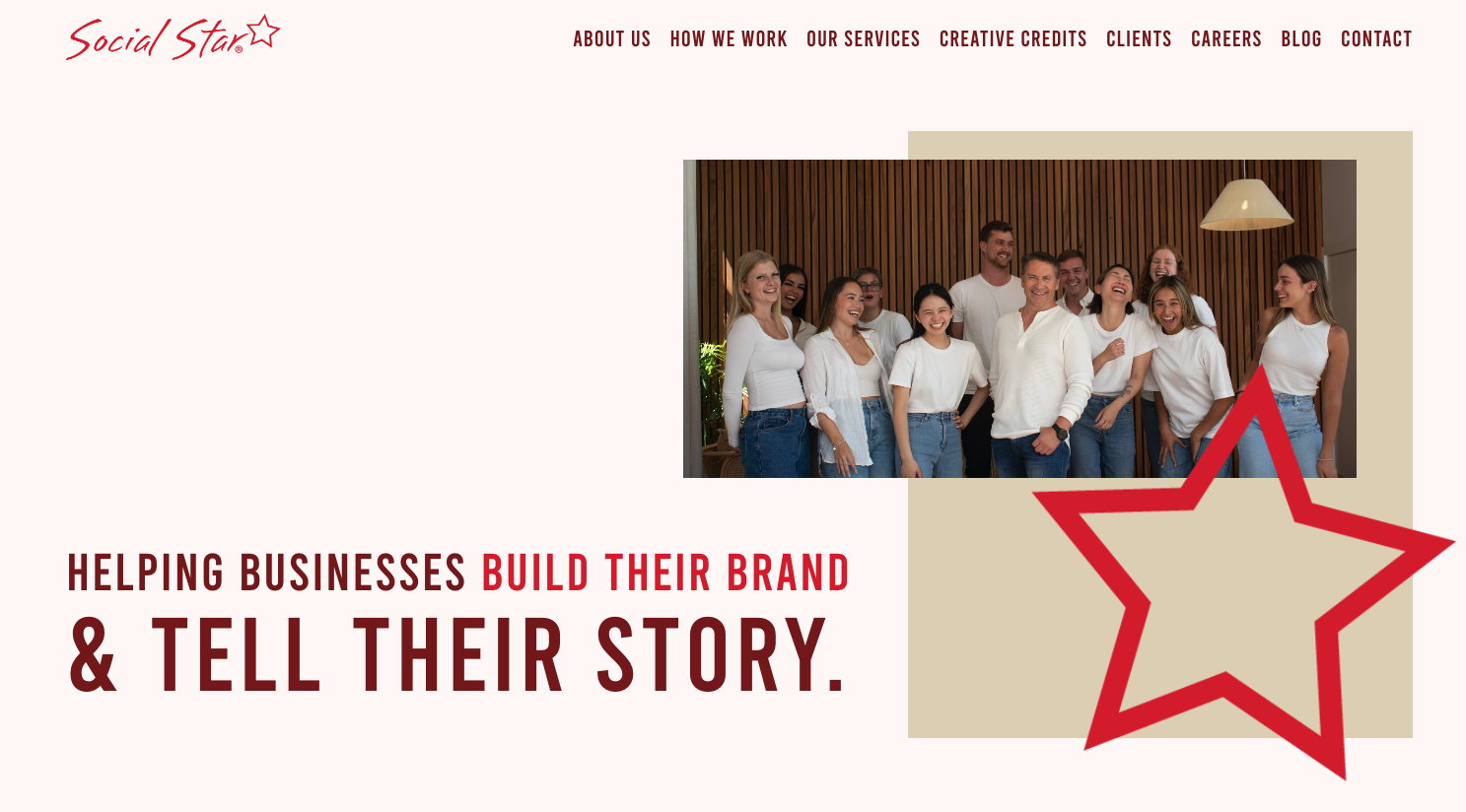
Group of diverse people smiling indoors with a wooden wall backdrop, some with arms around each other, wearing white shirts and blue jeans, with a decorative star graphic overlay in the bottom right corner.

Figure 38. An example of a website header.

A three-column infographic with red backgrounds and white text. The columns are titled 'EMPLOYEE,' 'HYBRID,' and 'AGENCY.' Each contains paragraphs describing different types of work environments. There is a button below reading 'BOOK A DISCOVERY CALL +'.

Figure 40. An example of calls to action on a website.

A chart titled 'UNDERSTAND' with columns labeled 'Value' and 'Rank.' Seven items listed under 'Value' include Business, Money, Family, Friends, Spirituality, Health, and Education, each with blank space for ranking.

Figure 4. Template for ranking your current values.

A radar chart displaying wealth frequencies with categories such as Dynamo, Blaze, Tempo, and Steel, along with personality traits like Mechanic, Creator, Star, Supporter, Deal Maker, Trader, Accumulator, Lord, and Introvert-Extrovert spectrum.

Figure 7. Outcome of the author’s Wealth Dynamics test

Two men smiling and raising glasses of champagne in a kitchen, celebrating with copies of a book titled "The Health Practitioner’s Journey" on the table in front of them.

Figure 12. A photo of Michael and I when I dropped off his first boxes of books.

Headshot of a middle-aged man with short brown hair, smiling, wearing a dark blue patterned shirt, against a light gray background.

Figure 15. Profile photo of the author.

Text describing Andrew Ford as a strategic marketer helping service businesses with online promotion to attract clients, staff, and partnerships.

Figure 17. An example of a headline

Screenshot showing a LinkedIn profile's follower and connection counts: 17,924 followers and over 500 connections.

Figure 19. An example of how many followers and connections a particular LinkedIn profile has.

Screenshot of a personal branding and professional services profile for Andrew Ford, CEO of Social Star and CampusLife, describing expertise in digital marketing, mentorship, and industry experience.

Figure 21. The author’s biography as of early 2024

Screenshot of a LinkedIn profile featuring a keynote speaker named Andrew Ford. The profile mentions his work in digital marketing, social media, and digital technology, along with details about his experience and skills.

Figure 23. An example of focusing on a particular area of experience on LinkedIn.

Screenshot of licenses and certifications including CPR, AED, and First Aid Certification from Allen's Training issued in May 2021; Wealth Dynamics Flow Consultant certification from GeniusU issued in October 2019; option to view all five licenses and certifications.

Figure 25. An example of licences and certifications on LinkedIn.

Screenshot of a volunteer experience section showing two entries: Australian Red Cross blood donor, donating blood and plasma over 100 times since January 1989; and RMIT University student mentor, mentoring marketing students since January 2017.

Figure 27. An example of volunteering listing on LinkedIn.

Screenshots of LinkedIn recommendations from Ha Giang Nguyen and My Hoa Nguyen for Andrew, praising their support and teaching in Digital Marketing courses at RMIT University Vietnam and Melbourne.

Figure 29. An example of recommendations on LinkedIn.

Screenshot of a digital courses list featuring Edward DeBono's '6 Hats Thinking' course associated with Hewlett Packard and HubSpot's inbound marketing course associated with Social Star Pty Ltd.

Figure 31. An example of smaller qualifications listed on LinkedIn.
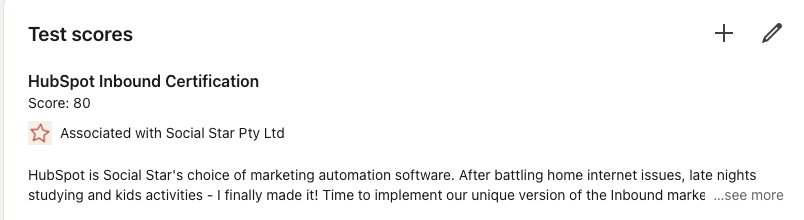
Test scores report for HubSpot Inbound Certification with a score of 80, associated with Social Star Pty Ltd, describing HubSpot as marketing automation software for social marketing.

Figure 33. An example of test scores on LinkedIn.

Screenshot of a LinkedIn profile section showing the person's role as Brand Ambassador for Lenovo since September 2014, associated with Social Star Pty Ltd, with a brief bio about technology interests and relocating from Apple to Lenovo.

Figure 35. An example of organisations you have been associated with.

Four columns of digital marketing services, each with a red icon, heading, description, and 'Learn More+' button, displayed on a modern glass building background.

Figure 37. An example of icons used to visually represent elements of what a business offers.

A website homepage with a red background, social media icons, a sign-up form for an email newsletter, and a paragraph acknowledging Indigenous landowners.

Figure 39. An example of a website footer.

Group of nine diverse people smiling and standing together in a modern indoor setting with wooden wall panels and a pendant light.

Figure 41. An example of optimising a website for viewing on a mobile phone.